Help
Report a problem with Rui
Chat, attach an image or video, and follow the response
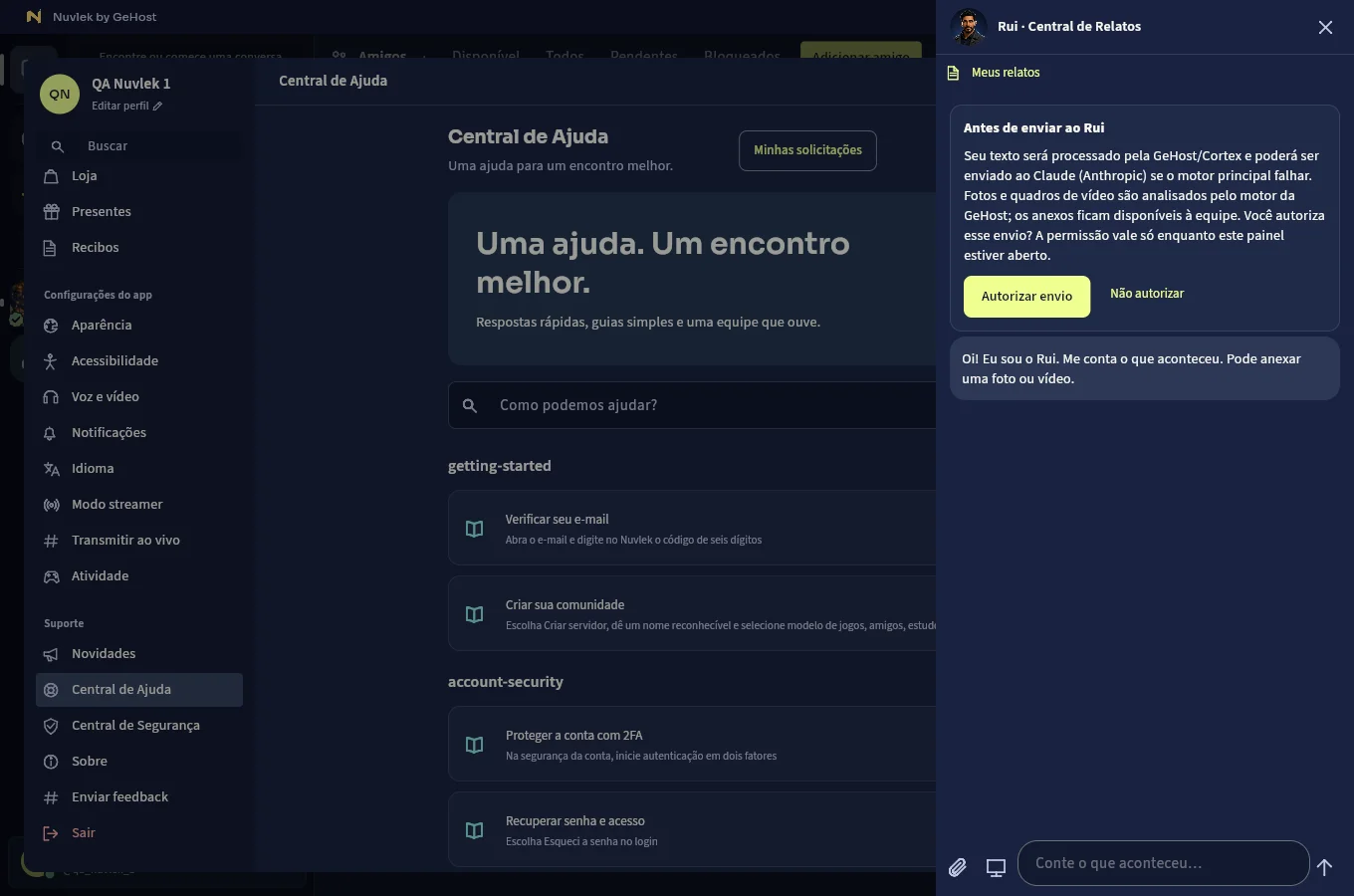
Open Send feedback to talk to Rui. The chat fills the screen on a phone and opens on the right on a computer. Explain where the issue occurs, what you expected, and what happened. Rui may ask questions before you submit.
Before writing or attaching anything, read Before sending to Rui and choose whether to authorize the processing described. Permission lasts only while that panel is open. If you decline, no text or attachment from that report is sent; My reports remains available.
You can attach a photo, video, or screenshot. Review the screenshot and drag over information you want to cover before attaching it. Never send passwords, access codes, or payment details.
A report is created only after the Your report was created card shows its ID. My reports shows progress and the outcome.
If you cannot sign in, use the public help on the official website.
See it in practice
Find help and Rui
Open guides and see the help conversation. In this capture, the account is in good standing and shows a historical restriction that had already ended before the capture. The capture preserves the original app interface; some option names may appear in another language. Guides and subtitles use the selected language.
Read the video
Find a guide in Help Center. Category keys “getting-started” and “account-security” remain in English in the captured interface. Rui helps you explain what happened before recording a report. Close this screen to return without completing an action. Safety Center: the account is in good standing in this capture. The historical restriction had already ended.
See the screen