Skip to content
GeHost Wiki

Safety

Appeal a moderation decision

Read the case in My standing and request a review with Rui.

Version 0.3.68+80Available on · Android · iOS · Windows · macOS · Web

How to do it

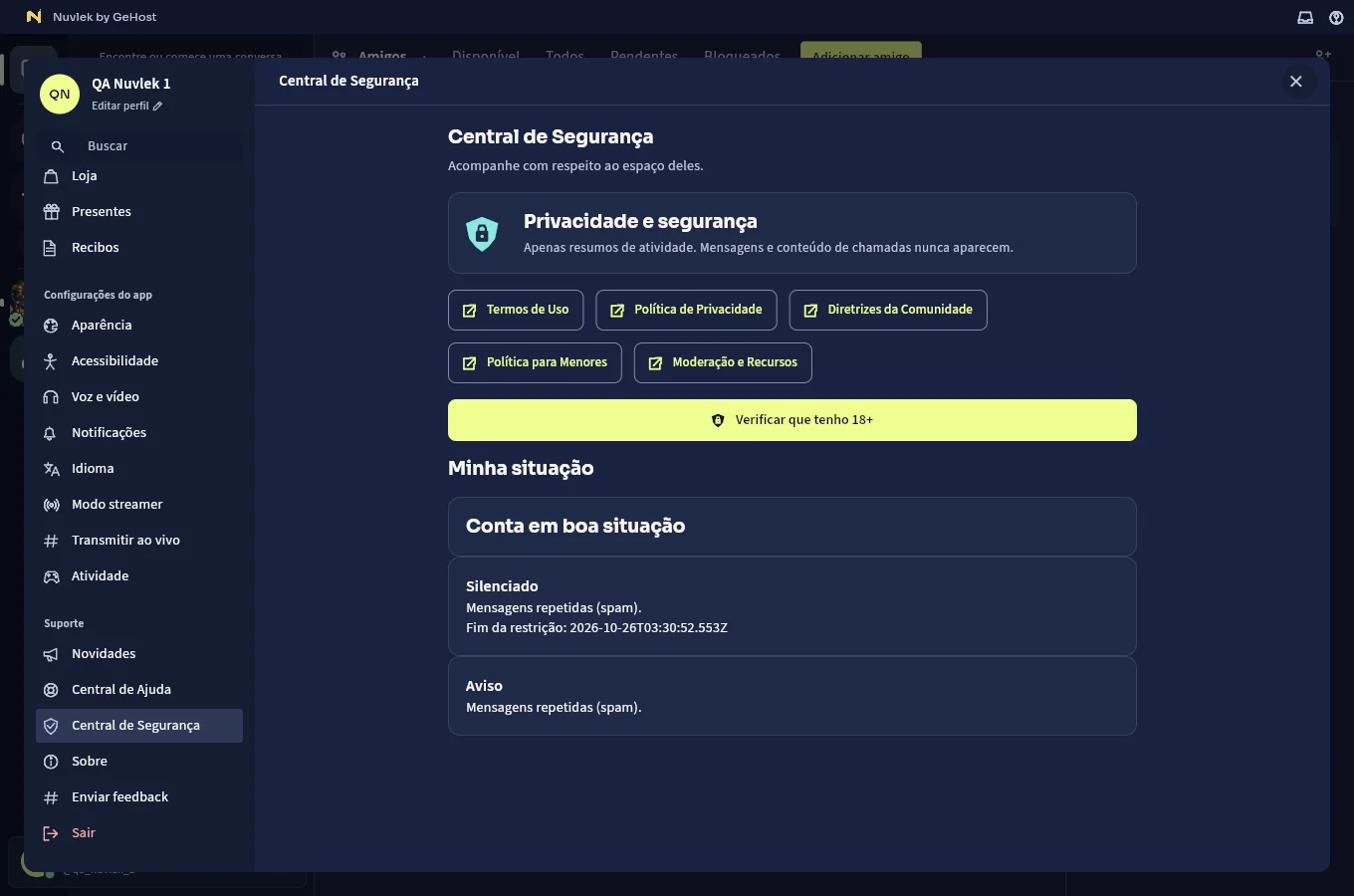
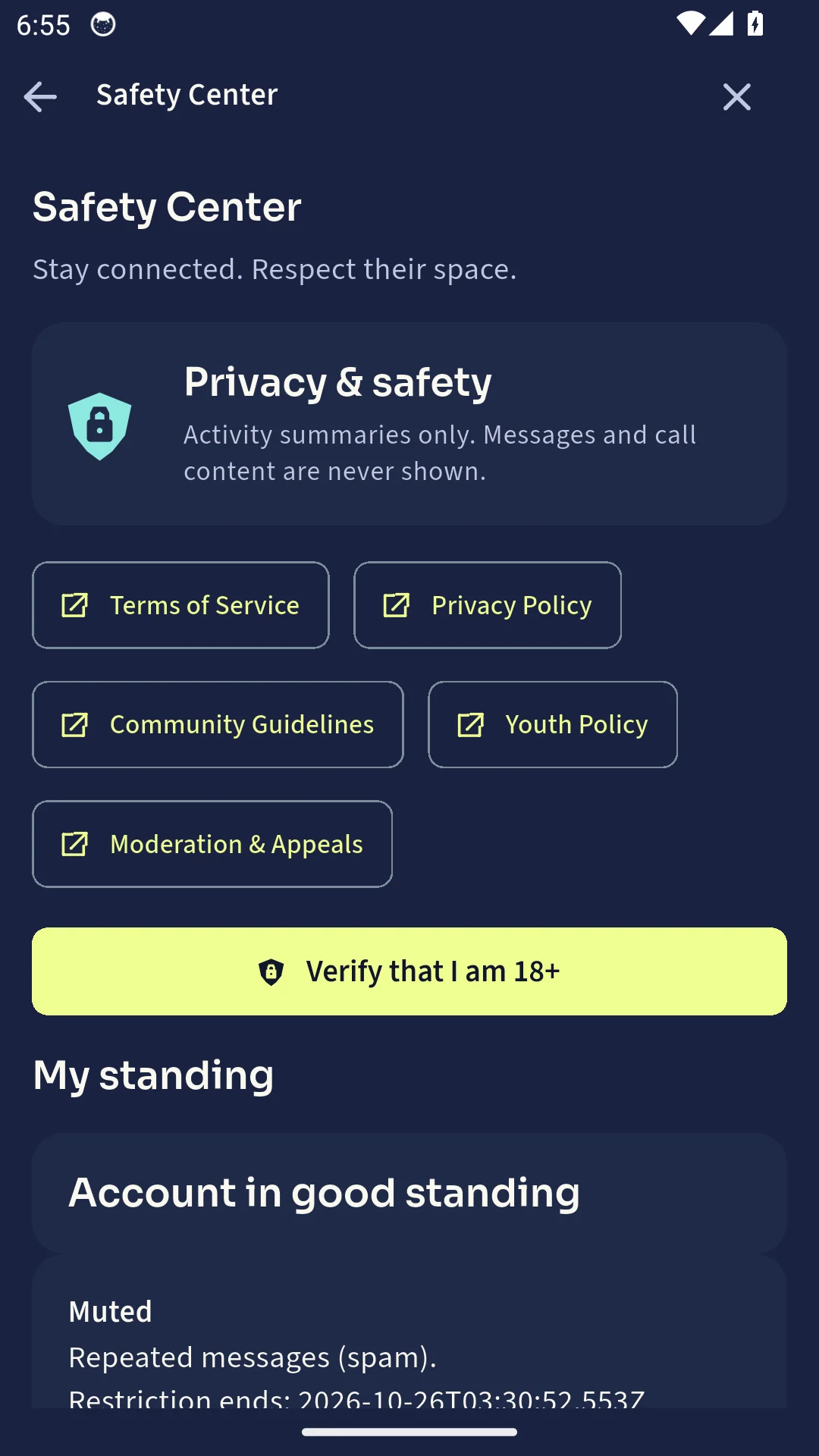
Open My standing, read the reason and choose Appeal with Rui for that case. You can submit an explanation once per case, within 14 days, including context or a factual error. If you cannot sign in, consult Nuvlek’s public help.

Keep in mind

The history identifies warnings, chat mutes, suspensions and bans. Read the reason and period shown for your case. Rui handles the automatic review and presents the result in the same flow. For a community’s local decision, contact its moderators. Legal complaint rights remain.

Back to Learn

See the screen

Actual Nuvlek capture: Appeal a moderation decision · desktop · In this capture, the account is in good standing and shows a historical restriction that had already ended before the capture.
Nuvlek 0.3.61+73 · desktop
Actual Nuvlek capture: Appeal a moderation decision · phone · interface in English · In this capture, the account is in good standing and shows a historical restriction that had already ended before the capture.
Nuvlek 0.3.60+72 · phone · interface in English
Navigation
Open original image ↗