Communities
Server event calendar
See events by Month, Week or List, mark interest with a reminder and add them to Google Calendar, Apple or Outlook
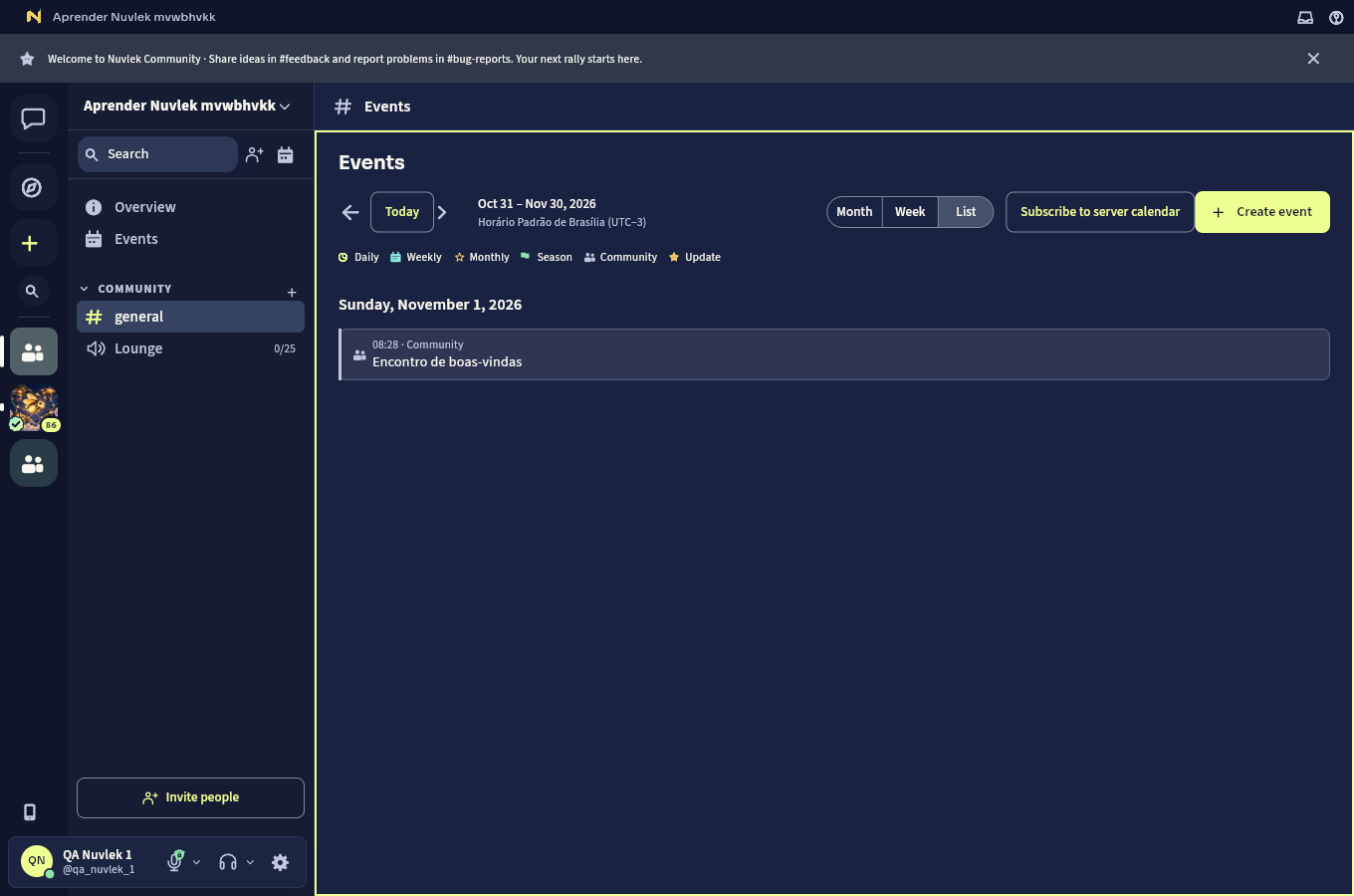
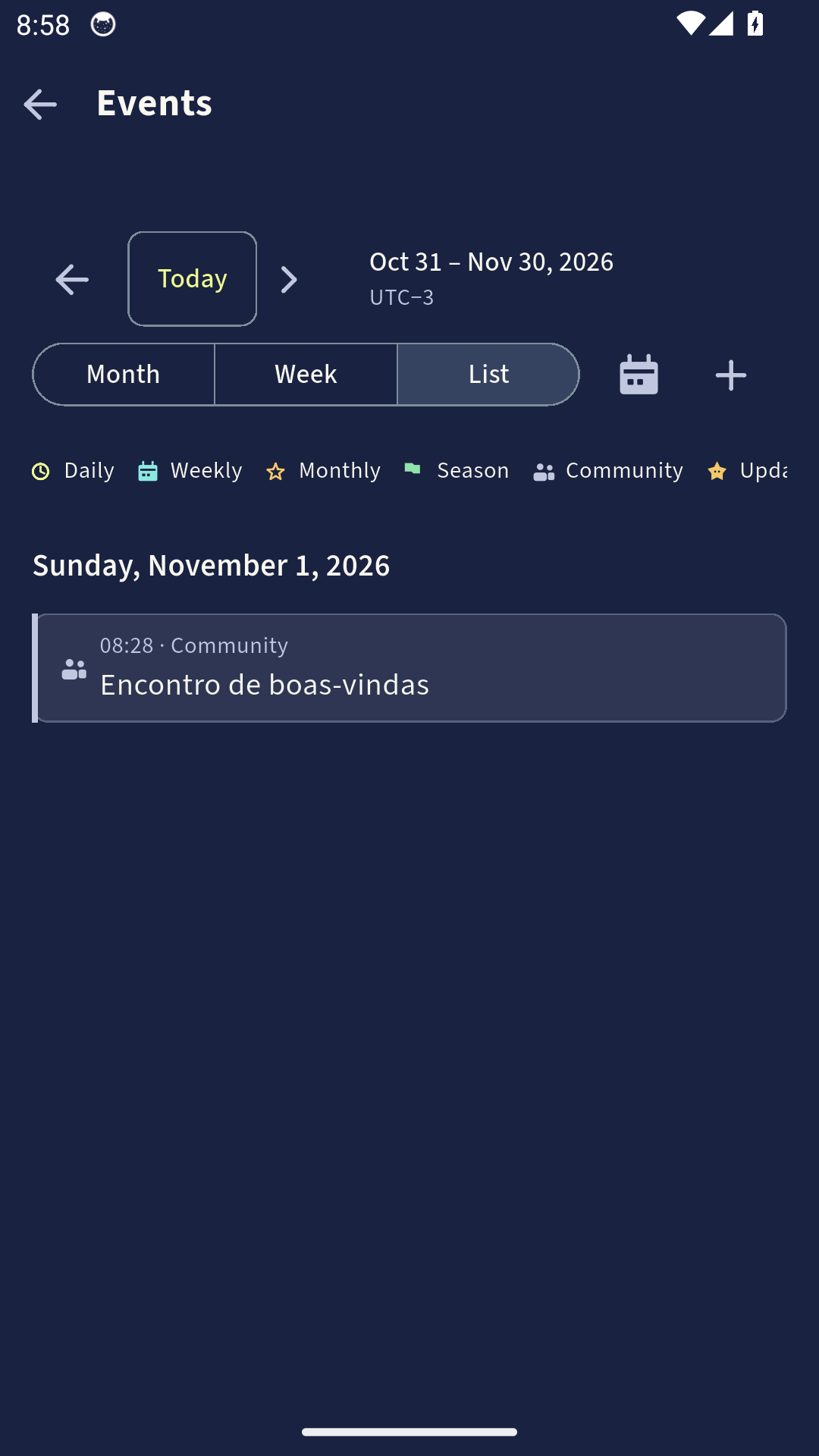
View the calendar
Open Events in the server. On desktop, use Month, Week or List. The month fits the window; when a day has more events than fit, +N more opens its complete list. Narrow screens organize the agenda by day. Titles with a provided translation use the app language. Without a translation, the organizer’s title remains as entered.
Receive a reminder
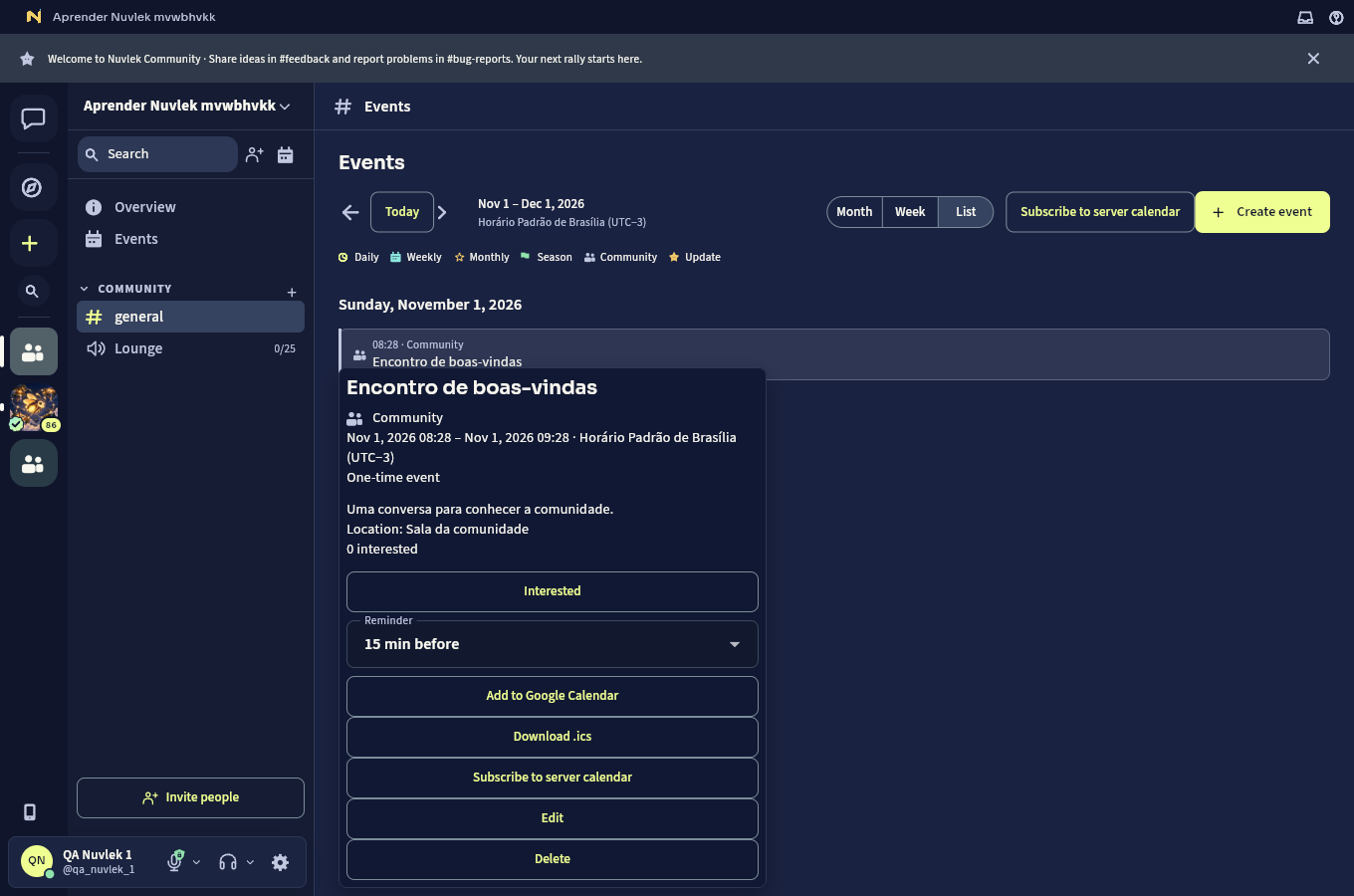
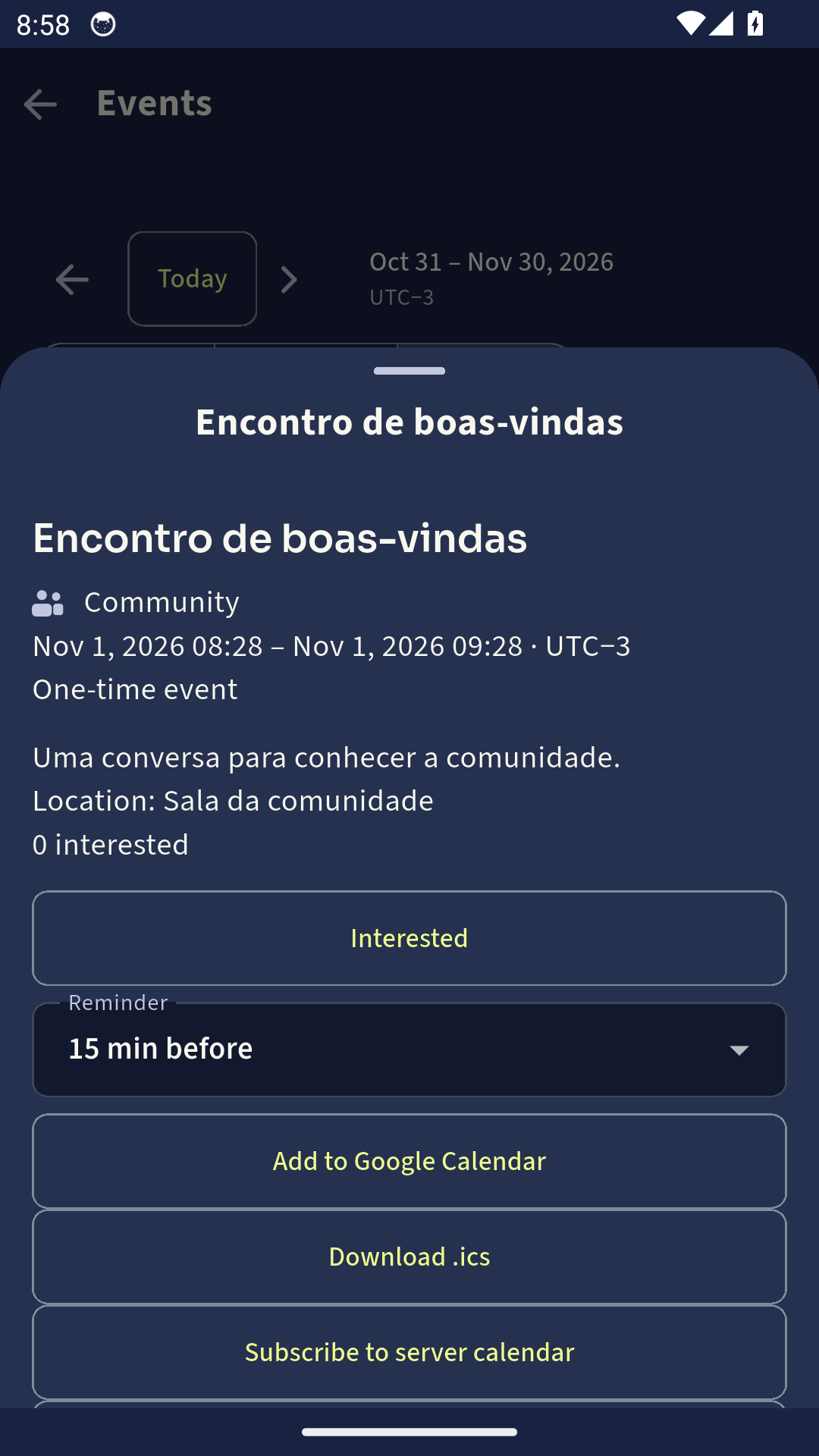
Open an event, read its details and choose Interested. Select an available reminder. Alerts respect Settings → Notifications → Server events. Creating or editing events requires community permission.
Use another calendar
Event details let you add an event to Google Calendar or download an .ics file. Subscribe provides the server calendar for a compatible calendar app. The subscription link is personal; do not post it. Generating a new link invalidates the old one.
The calendar does not grant access to restricted channels or replace age and family rules.
See the screen