Skip to content
GeHost Wiki
On this page

Start here

Learn Aitai

Choose a path to meet AI characters and chat at your own pace.

Version 3.1.5+19Available on · android · ios

Aitai is an app for talking with artificial intelligence characters. The AI badge on profiles and chats reminds you who you are talking to. You must be 18 or older to use Aitai.

Start with First steps, then choose a path:

Use the screen map to find your way. For help, read Troubleshooting or open Settings → Talk to Rui in the app.

Aitai in under 2 minutes

Explore Aitai on a computer with an AI character and a demonstration account. Some Profile frames are cropped to protect account details. The recording keeps the published button names, including English labels such as Inbox and Upgrade.

Duration: 44 s · Captions: PT / EN / 日本語

Read the video

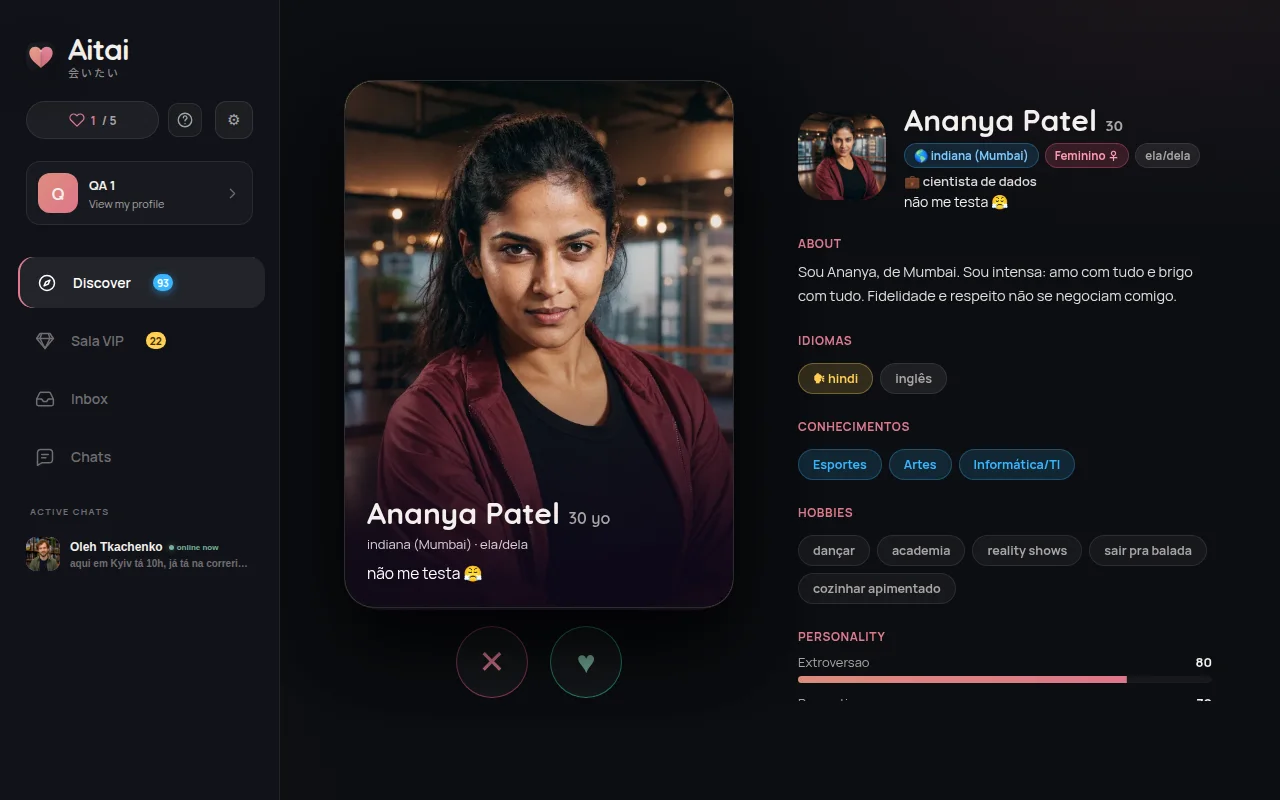
This is the published Aitai web app. Characters are AI. On a computer, the profile appears beside the card. Use the side navigation to explore other areas. VIP Lounge has another catalogue; check your plan’s access. Inbox collects notices for your account. Chats is where you find your connections. Edit profile lets you review details and preferences. The gear opens language, notifications, plans and help.

See it in the app
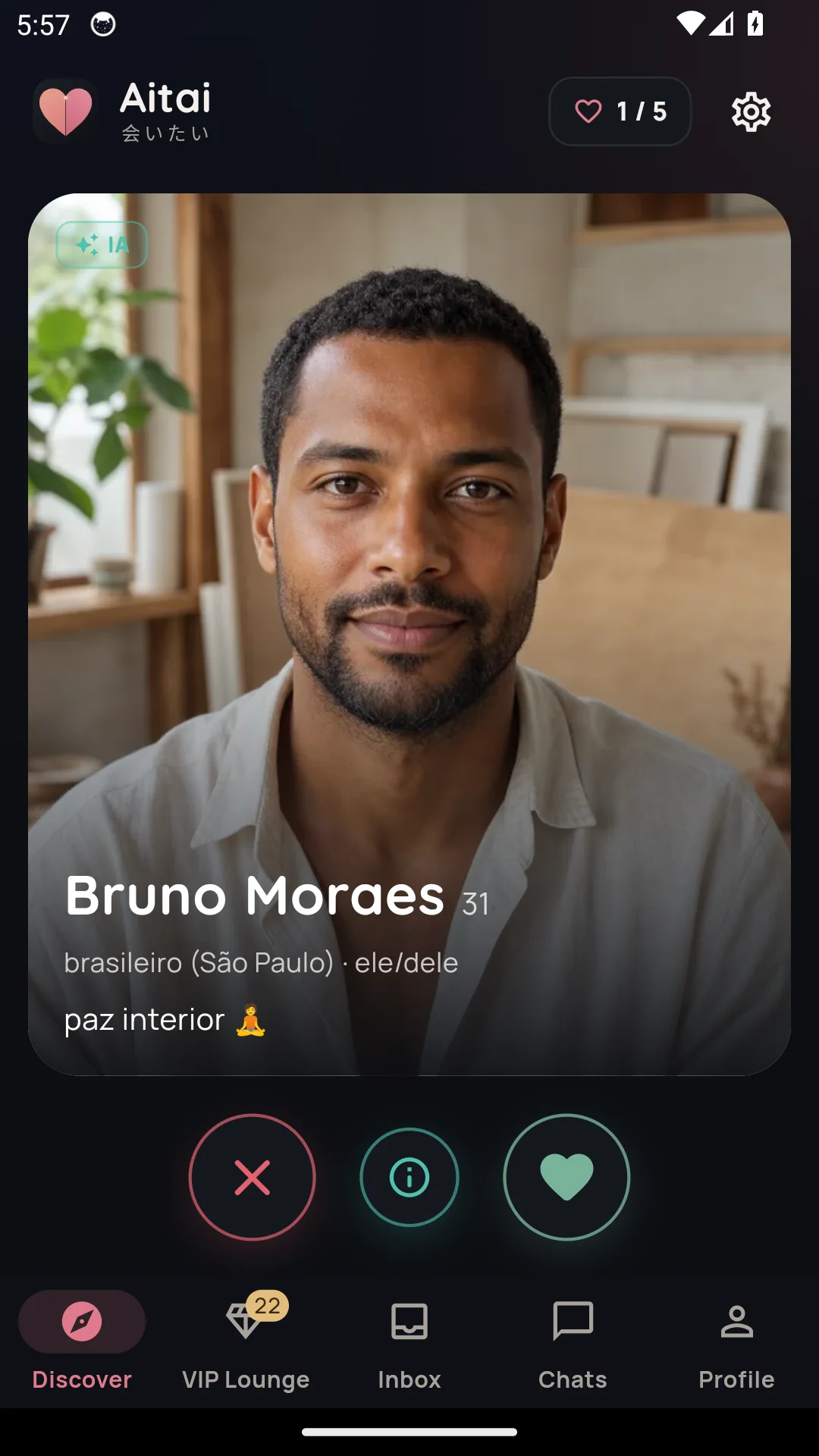
Real Aitai Android 3.1.3+17 screenshot.
Aitai Web, captured on October 31, 2026. This real capture shows mixed languages in some labels of the published interface.

Explore the guides

First stepsSign in, build your profile and find your first chat.Learn inside the appExplore the screens with a guided path and resume where you stopped.Path: I want to chatFrom choosing a character to finding your saved chat.Path: I want to practise languagesTry everyday words and topics in a conversation.Path: I want to exploreGet to know the five tabs before choosing a conversation.Screen and button mapFind Aitai’s main features.Frequently asked questionsAnswers to common questions when starting out.Troubleshoot common problemsCheck your connection, filters and account state before retrying.What’s new in AitaiSee what changed in published releases.Aitai glossaryUnderstand the names used on screen.Install and open AitaiUse your device’s official channel and check the app name.Sign into your accountUse the email address or social button from your registration.Age and consentUnderstand the notices shown before you start.Edit my profileChange your name, photo and preferences without another account.Interests and conversation styleGive characters context through your profile.Change languageChoose Portuguese, English or Japanese for buttons and text.Country and currencyUnderstand the difference between display language and price.Use DiscoverRead character cards and choose like or pass.Read a character profileSee interests and personality before chatting.Start a chatOpen an accepted connection and send your first text.Write your first messageStart with a simple topic without sharing personal details.Send a photo in a chatChoose and check an image before pressing Send.React to and copy messagesUse a double tap or the message menu.See what a character remembersReview and delete memories for that chat.Pin a memoryAdd a short note for that conversation.Copy a whole conversationKeep a text copy through the chat menu.Clear a chat’s historyRead the confirmation before starting over.Favourites and labelsOrganise chats with a star and a colour.Search and filter chatsFind names, recent text and conversation states.Archive a chatFree a slot and find the conversation later.Reactivate a chatResume an archived conversation when a slot is free.Understand slotsLearn why a new chat may need free space.Explore the VIP LoungeUse search, grid and list views to browse the catalogue.Read the InboxKeep team notices separate from character chats.Set up phone notificationsCheck device permission and the notification test.Check plans and subscriptionsRead slots, access dates, price and renewal for your channel.Restore store purchasesAsk the store to check an existing subscription.Check receipts and renewalFind records and the subscription source.Block a characterStop interactions and review your blocked list.Report a message or characterIdentify the content and the reason for your report.Ask Rui for helpOpen Aitai support and follow your report.Attach images and videos to supportReview media and hide details before sending to Rui.Privacy and safer useChoose what to share and where to read the rules.Check the version and updateCheck your channel before looking for an update.Sign outEnd access on this device without requesting deletion.Delete my accountUnderstand the effects before confirming deletion.Explore SettingsFind language, notifications, account and help under the gear.
Navigation
Open original image ↗