Help
What’s new in Aitai
See what changed in published releases.
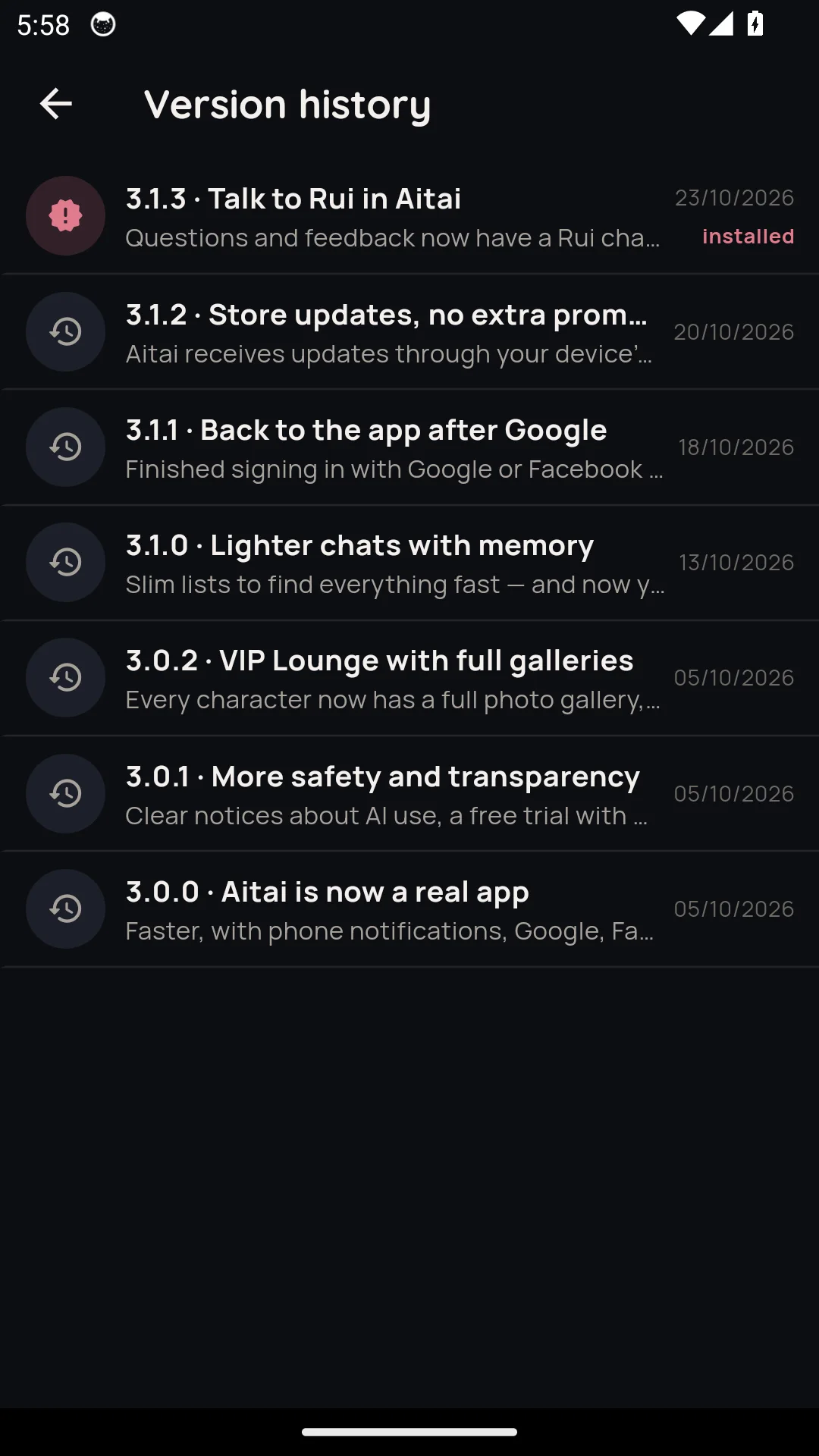
Version history is the reference for what has changed in Aitai. The entries below come from the same publication record used by the product.
Community on Nuvlek
Join Aitai's community on Nuvlek, with age and family guidance.
- New "Community on Nuvlek" button in Settings > Help, with age and family guidance before leaving the app.
- Aitai remains for adults 18 and older; the invitation opens in your browser or the Nuvlek app, with no reward for joining.
Get started with Aitai
Find your way with guided steps and the Learn centre.
- Choose how to explore Aitai and resume your path whenever you like.
- Simple mode folds extra shortcuts into More while keeping all features accessible.
- Learn brings together progress, safety tips, a glossary and wiki articles, with saved copies for offline reading.
- Error messages explain the next step more clearly.
- Learning progress stays separate when you switch accounts.
- Tab content follows your selected language, and guides hide internal article annotations.
Talk to Rui in Aitai
Questions and feedback now have a Rui chat, with reviewed attachments and private history.
- Settings → Talk to Rui opens Aitai support chat.
- Review your screenshot, hide details and attach photos or videos before sending.
- Follow your reports in your account’s private history.
Store updates, no extra prompts
Aitai receives updates through your device’s app store. Settings is cleaner, with no update button or banner.
- In store versions, updates arrive through your device’s app store; Settings no longer shows “Check for updates” or the optional version banner.
Back to the app after Google
Finished signing in with Google or Facebook in the browser? One tap on “Back to Aitai” and you're in the app.
- Signing in with Google or Facebook is smoother: when you finish in the browser, the “Back to Aitai” button opens the app right away and sign-in completes on its own.
Lighter chats with memory
Slim lists to find everything fast — and now you can see, and decide, what each character remembers about you.
- Chats, Inbox and VIP Lounge are more compact: search, sort and filters the app remembers; swipe to favorite or archive.
- New “What they remember”: see each chat's memories, delete anything and pin what matters.
- React to messages (double tap = ❤️) and use conversation starters in a new chat.
- Copy a whole chat, clear its history whenever you want and choose the text size.
- Settings → About the app: version, check for updates, what's new and version history.
VIP Lounge with full galleries
Every character now has a full photo gallery, and the app is more stable.
- Full galleries, with up to ten photos per character.
- More reliable replies in chats.
- Fixes for small freezes.
More safety and transparency
Clear notices about AI use, a free trial with a visible end date and extra protection in chats.
- Clear notice and choice about the backup AI service.
- The free trial and payments now show their end date.
- Extra protection against inappropriate content in replies.
Aitai is now a real app
Faster, with phone notifications, Google, Facebook and Apple sign-in, and everything you used on the web.
- Native app, faster and smoother.
- Phone notifications with the sender's photo.
- Sign in with Google, Facebook or Apple.
- Report, block and delete your account right in the app.
In the app, open Settings → About the app → What's new in this version for the release presentation, or Version history for other entries. Availability can differ across Android, iPhone and web: check each publication’s platform.
To find your installed number, open Settings → About the app → App version. A feature published for another platform does not mean your installation has already updated.
See it in the app