


Start here
Beginner path: your first conversation
A short exercise with no tool setup or purchases.
Goal
Ask a question, improve the request and find the conversation again. Allow about five minutes.
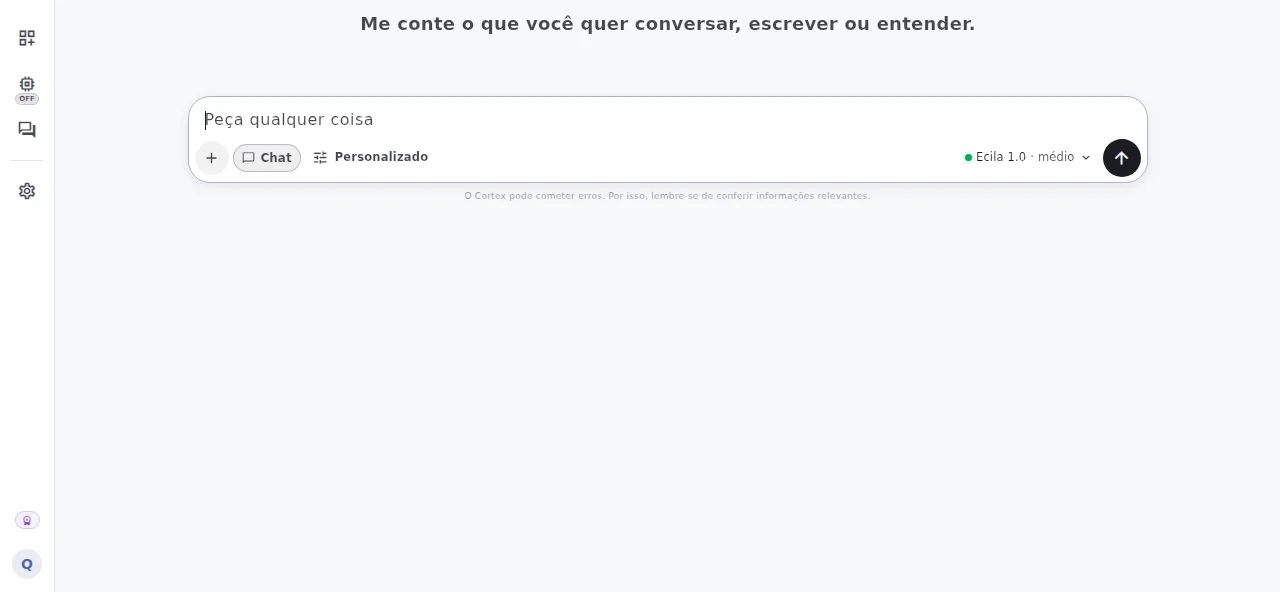
- Open New chat. You do not need a Code folder to talk.
- Write: “Explain how to organise a task list in three steps.” Send it.
- Read the answer and ask: “Now make it shorter and use simple words.” The context stays in the same conversation.
- Use Copy on an answer and check the copied text.
- Open the sidebar and find this conversation under Chat.
What to check
You should recognise where to write, send and return to history. AI answers can contain mistakes: review names, dates and numbers before use.
Next step
To work with a file, learn to attach documents. To write by speaking, see dictation. First steps covers installation and accounts.
This guide is a reading exercise; it does not send messages to other people or change your account settings.
Beginner path: ask, read and keep
A real question followed by reading and copying the answer.
Read the video
Open a conversation for one topic at a time. Send a short question without personal information. Weight at the bottom is not a general rule. Check your backpack maker’s guidance. Copy puts the text on the clipboard. The + shows other ways to continue the conversation. Close the menu to keep writing. The Files in this conversation view shows only this chat’s material.