


Start here
What is Cortex
An AI for chatting, coding, and teamwork, with the same account on your phone, computer, and the web.
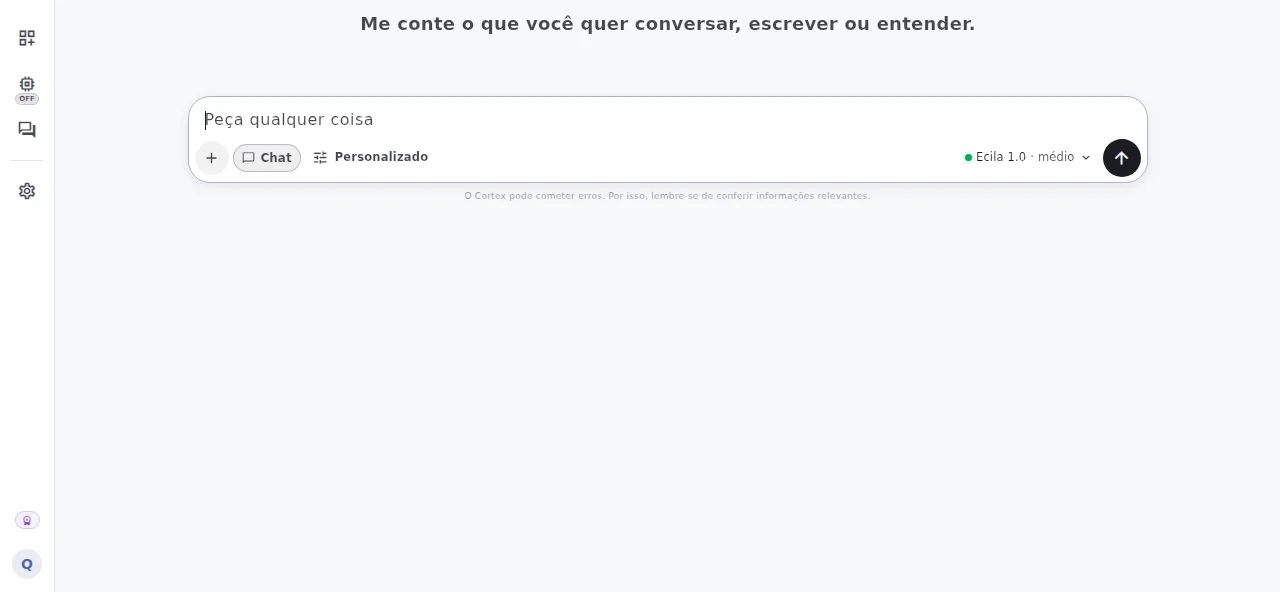
Cortex brings everything you usually do with AI into a single app: chatting, writing, coding, creating images and videos, serving customers, and sharing work with other people. With the same account, your chats can follow you across devices, depending on your sync settings.
What you can do
- Chat and write with Ecila, the Cortex chat assistant, already included in your plan. See Chat and models.
- Code with Airam in Code mode: she reads the project, runs commands, edits files, and shows what changed. See Cortex Code.
- Use the AIs you already subscribe to, like Claude, ChatGPT/Codex, and Gemini, inside Cortex. See Your subscriptions and keys.
- Create images and videos just by asking in the chat. See Images and video.
- Work as a team in the same AI chat, with a request queue, channels, and tasks. See Team.
- Handle WhatsApp Business in a single inbox, with an AI Attendant that answers for your business. See Messages.
- Run AI on your computer, offline, and even use it from your phone. See Local AI and My PC's AI.
- Connect Cortex to your tools: Google Workspace, GitHub, Notion, MCP servers, and more. See Customize.
One account, every screen
Cortex has apps for Android, iPhone and iPad, Windows, macOS, and Linux, plus Cortex Web, which opens in your browser with nothing to install. With an account, your chats, Library and memories can follow you from one device to another, depending on your sync settings and compatible data types. Some features depend on a computer, like Local AI and subscriptions to other AIs; each guide says where the feature works.
Names you'll see
| Name | What it is |
|---|---|
| Ecila | The Cortex chat assistant, for everyday use |
| Airam | The coding assistant, used in Code mode |
| Chat | Regular chats, about any topic |
| Code | Chats tied to a project folder |
| Rail | The thin column of shortcuts on the side of the app |
| Library | Everything born in your chats: images, videos, documents |
Getting started
- Download the app or open Cortex Web: the Getting started guide shows each way.
- Create your free account. The Cortex Livre plan already includes Chat, Code, Local AI, and connections.
- When you need more, see Plans and what each one unlocks.