


Start here
Plans and what each one unlocks
Compare the limits of each plan and see what comes with Cortex Livre, Plus, Pro, and Max.
Connect your AI accounts using available integrations. Each provider’s limits, costs and terms still apply. In Settings › Providers, check the integrations available on your device. Each vendor defines authentication, limits and terms of use; Cortex plans do not replace agreements with other services.
Compare features and your account’s entitlements
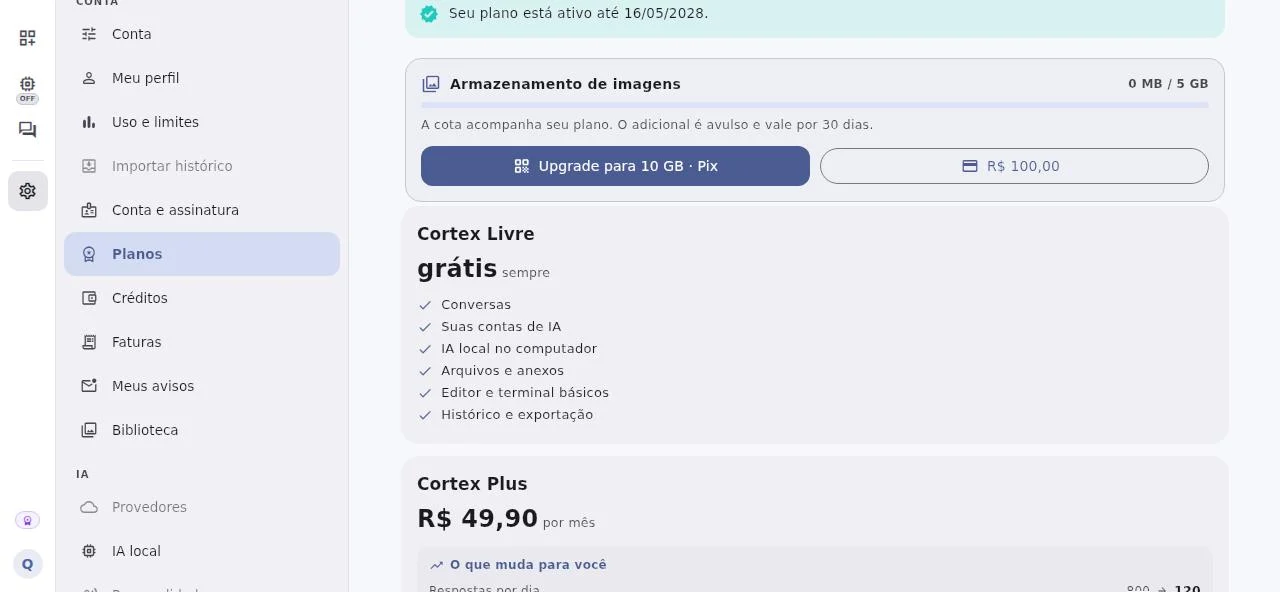
Free lets you chat and get started. Pro adds tools to organize your work; Max expands teamwork options. Plus remains available in the catalog. Current features and limits appear on the Plans screen, and your account’s existing entitlements are preserved.
Only explicitly selecting or reapplying the Maximum profile requires Pro. Recommended, Focus, Custom, manual CPU, RAM, network and disk settings, and computer protections remain available on Free.
- Open Plans from your plan shortcut in the app. On Cortex Web, open Settings and select Plans.
- In the app, scroll to Tools by plan and expand the tiers to see their features. On the Web, use the Compare features table; on a phone, it scrolls sideways.
- Check the included-access marks and displayed limits. Your account may have earlier entitlements beyond the general comparison. Check your current entitlements and the plan’s access period in your account.
- When you see Available with Pro, choose See benefits to learn about the feature and compare plans. You can keep chatting on Free without mandatory sign-up.
Plans expand your work tools while keeping your permissions and each service’s limits. History, export, security controls, and the ability to view or stop ongoing work remain available.
Optional visit and purchase counts
On the Plans screen, Count plan visits and purchases starts off. On the Web, the aggregated-count option applies to that visit. You choose whether to participate.
The option counts comparison visits, plan invitations opened and conversions from Free to a paid plan in aggregate. A conversion is counted only after a real purchase is validated while consent is active. Cortex uses the account to confirm a purchase; the aggregate counts do not store conversation content or identifiers. Turning the option off does not change prices, features, or the delivery of a purchase.
See current prices and limits on the official plans page. Check the plan and currency displayed before confirming a purchase.
How the limits work
- Answers per day counts requests answered by Cortex’s own AI. Tokens measures input and output text. The daily limit resets the next day and the monthly limit on the 1st.
- Usage with your subscriptions or keys for other AIs is billed by them and doesn't count toward your Cortex limit. See Your subscriptions and keys.
- In a shared chat and in Team, each request uses the limit of the person who asked. The team owner can turn on "the team pays", with a cap per person.
- Cloud storage for images keeps the images from your chats in your account. What's born in the chat is stored on your device first.
- Images and videos may wait in a queue. Check results before use; quality and limits depend on the selected tool and plan.
How to subscribe
- In the app, tap your plan at the bottom of the shortcut rail (on phones, in the menu opened by »).
- Choose the plan and pay with the method offered: through the store itself when you got the app from Google Play or the App Store; in other versions and in Cortex Web, by Pix or card.
- After payment confirmation, check the plan in your account. On other devices, open the same account and allow its information to update.
Credits
Credits are a prepaid balance spent as you use them. They let you keep going when your plan's quota runs out and let you use the Cortex API in other programs. You top up right in the app, with the same payment methods as the plan.