


Together
Team path: find the right workspace
Understand shared conversations and Messages before inviting anyone.
Two ways to work together
A shared conversation is your chat or project with other authorised participants. A Team space brings together channels, members and its own settings and depends on the relevant plan. You do not need to create a team to read this guide.
- Open Messages and find the list filters.
- Distinguish team conversations from customer channels. Do not send messages in this exercise.
- If you already belong to a team, open the Team settings gear in Messages. On the Members tab, find your name and read its role label.
- View the list without inviting or removing people or changing roles.
- Return to the list and search for a conversation you can already access.
Before sharing
An invited person may access the conversation history. Review attachments and personal information first. Sharing a conversation does not automatically grant access to files or the terminal on your computer.
Continue
Read Team, shared conversations and Messages. Invitations, role changes and customer replies have real effects; do them only when intended and authorised.
Team path: check features and access
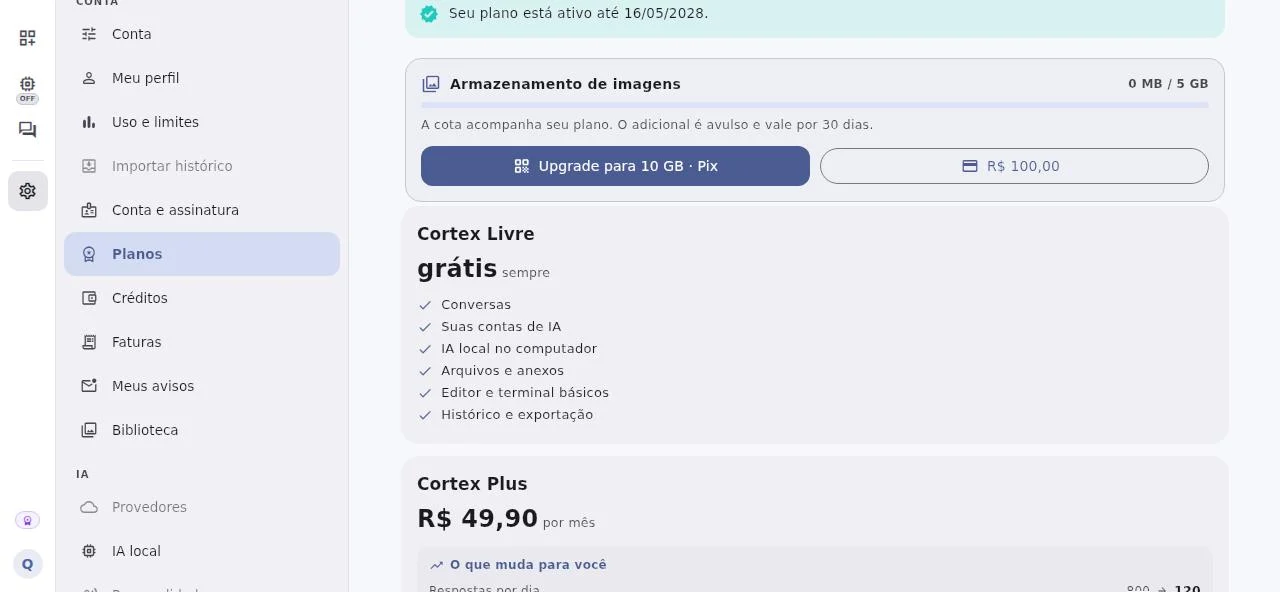
Find connections and account rights before working together. This comparison uses the example account’s plan; choosing a plan with fewer answers reduces the quota shown.
Read the video
A shared conversation and a Team space are different features. Open Customize to explore account tools. The Connections tab shows available services and channels. Do not connect another person’s account without permission. Options depend on the plan. Check your account in Settings. Open Plans to see what is included. This video makes no purchase. Before inviting, review the history that will be shared.